WhatsApp Desktop
WhatsApp for PC is the most popular web app that helps you end-to-end encryption chat and audio/video calls.


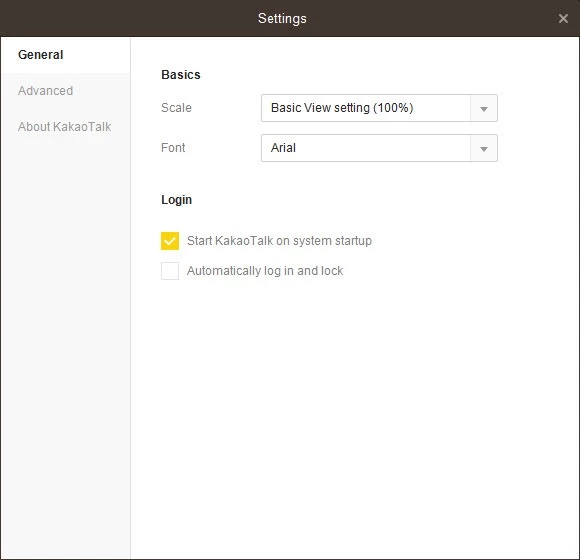
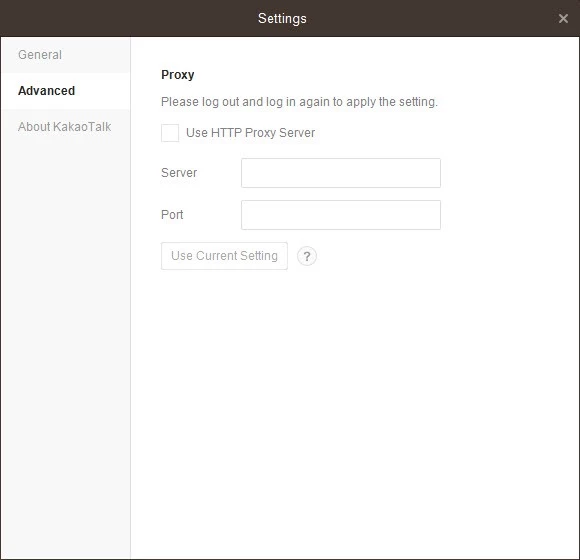
KaKaoTalk is one of the best social media platforms to offer quick and smooth communication over the internet. It is free to use, you need to connect your device to the internet for sending and receiving text messages, making audio calls, creating channels to share your information, sending emails, and a lot of other.
It is available for both Windows as well as mobile operating systems while offering similar functionality. It helps to share your multimedia files and stay in touch from anywhere, anytime. You can also create groups and edit your images before you share them with others.
KaKaoTalk, commonly known as KaTalk, was published in South Korea and developed by KaKao Corporation. It was released in 2010 for both the mobile and desktop platforms. It offers a lot of Korean-based content, even emojis, as initially, it was used by 90% of the local market.
It was basically designed for instant messaging and audio/video calling, but later, it enhanced the functionality while offering multiple innovative features such as mobile payments, gaming, banking, taxi hailing, and a lot of others.
The installation process is straightforward, as you need to download the installer by clicking the “Download” button given on the page, or from the official website. Right-click to run the installer, and complete the installation while following the on-screen instructions. Enter your credentials for the mobile KaKao Account, and log in. The app requires authentication through the mobile to start on the desktop version. In this way, all of your app’s data will sync with your desktop version.
The interface is user-friendly with a clean and modern layout that offers a left sidebar for friends and chats. The active conversations are available in a large main window. Enhance readability with color-coded notifications and chat bubbles. Boost the navigation process using the keyboard shortcuts. Simply click + icon to start a new chat, and share your chat while using the drag & drop options for files. Likewise, make an audio call by clicking the ‘Voice call’ icon for PC-to-PC or PC-to-mobile calls. You can also capture the screen and quick memos to enhance communication.
The app offers one-to-one chats for staying in contact with your friends, family, and other business colleagues. Along with private chatting, you can also continue your group chats while participating in communities. You can send messages, photos, files, and videos. The app offers custom folders to organize your different chats, and also a thread feature is for following the various threads in the same group to save the conversation. You can also edit the already sent messages to update them while adding new details.
The app not only allows users to send and receive text and voice messages, but also enables users to make high-quality audio-video calls. It also includes group calling, which adds up to 10 participants simultaneously. The app offers a “Face Talk” feature with the facility of enabling some effects and sharing your screen in real-time. It is the best option for collaborating on multiple tasks.
It is another key feature that gives access to topic communities for exploring the communities that best suit your taste, including studies, news, and other trending interests. You can also check real-time trends for accessing the hottest topics, and it enables you to join relevant conversations. It is the best option, as it helps to avoid accepting the invitations or sharing phone numbers.
The app also offers a shopping tab from under the KaKaoTalk Quickly button, and searches the products available on the fourth tab, called KaKao Shopping of KaKaoTalk. Likewise, you can also enhance your brand while creating a channel, and post your products or services to share with other users as well.
You can control your privacy while configuring the profile, such as setting the visibility preferences for contacts who can watch your status, interests, and other multimedia content. You can also manage the display of personal information, such as photos, files, etc, whenever and whatever you want. Moreover, you also manage multiple other preferences such as notifications, location, gallery, calendar, and microphone access permissions while using filters and privacy settings.
Pros
Cons

WhatsApp for PC is the most popular web app that helps you end-to-end encryption chat and audio/video calls.

Microsoft Teams collaboration and communication tool for personal and professional use

Download Facebook Android APK on PC Windows (7/10/11) to upload and share your happy memories, photos, and videos.

Zoom App for PC get all of your co-members and students in a video conference

Discord Canary, test upcoming features before they release

Telegram Desktop is Communication app for PC. Working under the MTProto protocol.